Chrome Homepage
An extension that replaces the new-tab page with a personal dashboard.
Chrome Homepage replaces the browser's new-tab page with a personal dashboard: my favourite links, a search box, and a shortcut to what I was just searching for. I also wrote it to learn how to build a browser extension with React. It works in Chrome and in Firefox-based browsers such as Zen.
What it does
Three pages, reached from a menu:
- Home: a grid of links, a Google search, and my ten latest searches, found in the browser history.
- YouTube: the last video watched, with its thumbnail, and the latest YouTube searches.
- GitHub: my repositories, sorted by last update, and my latest pushes.
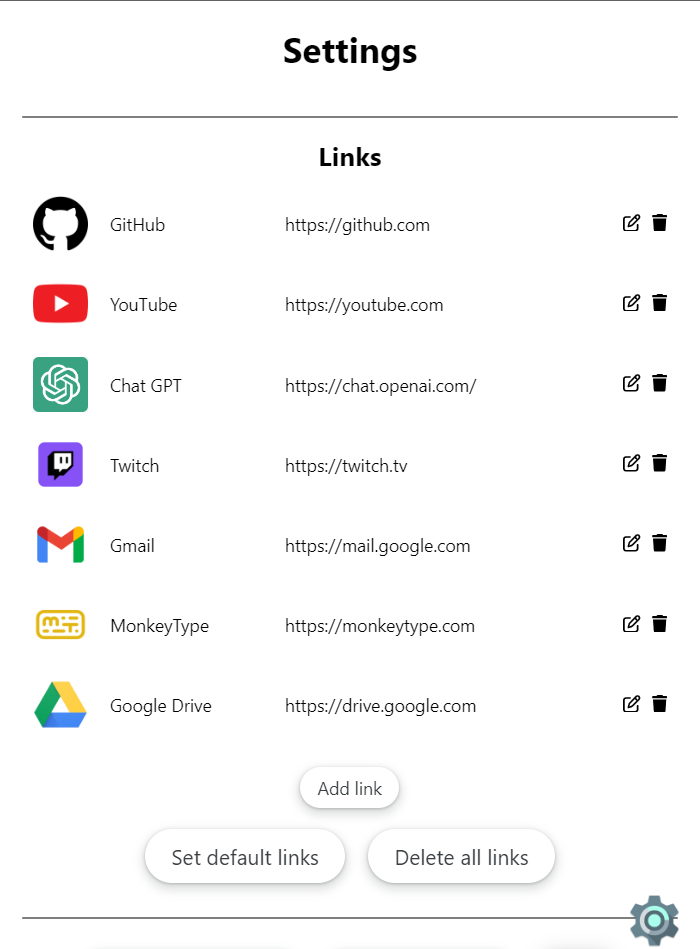
The settings manage links (add, edit, icon, drag-and-drop reordering), the background (a local image) and the YouTube and GitHub API keys, only needed for those two pages.
How it is built
It is a compiled React app that the browser loads as an extension. It has no server and no account: everything is stored in the browser, in IndexedDB rather than extension storage, so that a large background image fits. It reads the history through the browser API, and the only network calls go to YouTube and GitHub. The extension security policy forbids embedding a YouTube player: the last video is therefore shown as a thumbnail that opens YouTube.
Installing it
The extension is not published in the stores. Clone the repository,
run npm run build, then load the chrome-homepage/build folder as an unpacked extension (the repository also
explains how to install it in Firefox and Zen).
Where it stands
Most of it was written in late 2023 and early 2024. The extension has been on hold since.