
Markdown Themes
Themes to write in Markdown with a polished look, a VS Code extension and a PDF export.
Between 2023 and 2025 I wrote my lecture notes and notes in Markdown, and I wanted a more polished look than the default preview: themes, coloured callouts, an automatic table of contents, footnotes. It became three related projects: themes, a VS Code extension to use them comfortably, and a PDF converter. I no longer use them today.
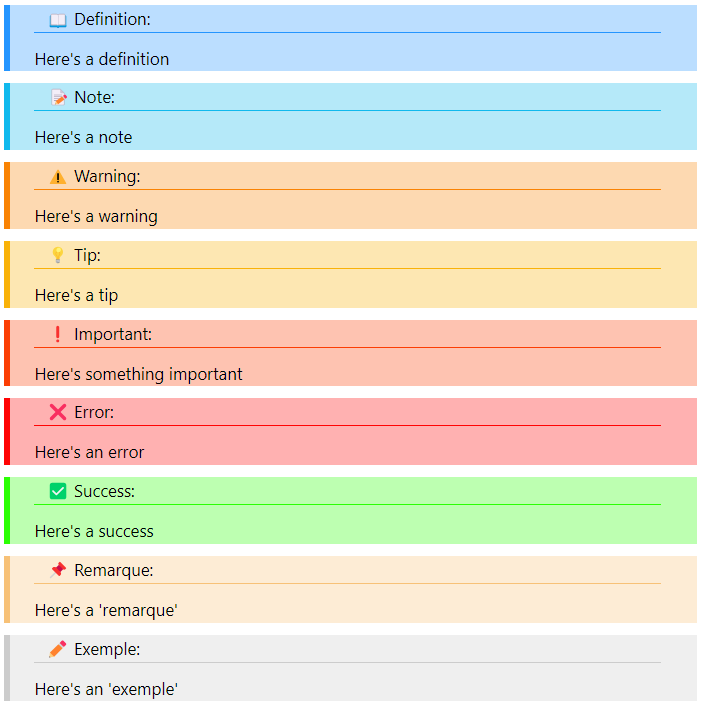
The themes
Markdown Themes holds the stylesheets and scripts. A Markdown document loads its theme with a single line at the top of the file, which adds the style and the scripts (table of contents, footnotes, maths, diagrams). Themes add their own elements: an automatic outline, callouts (definition, note, warning, tip, error…), colours and highlighting, footnotes gathered at the end of the document, grids, maths formulas and styled Mermaid diagrams.

The VS Code extension
The extension made the themes handy in VS Code: about a hundred commands to insert a theme, a colour, a callout or a grid, with keyboard shortcuts, and PDF conversion. It started a small local server that served the themes to VS Code's preview: a change to a theme showed up at once, without waiting for a CDN cache. It was never published on the Marketplace.
The PDF converter
The converter turned Markdown into HTML (markdown-it and its plugins, code highlighting, Mermaid), then printed it to PDF with Puppeteer, as numbered A4 pages or as a single long page. It served both from the command line and inside the extension. Its repository is private.